

Drill down from a financial statement
Use a statement drilldown to explain what makes up a reported value. Control carries the selected period, entities, accounts, dimensions, currency context, and transaction categories into the drilldown so you can move from a total to its supporting detail.Expand rows or drill into a value
Expanding rows and drilling down answer different questions.
Expanding accounts does not open transaction detail. A drilldown always starts from one or more value cells, so the selected reporting period remains part of the investigation.
Open a drilldown
- Open a financial statement in Actuals and choose the reporting scope you want to review.
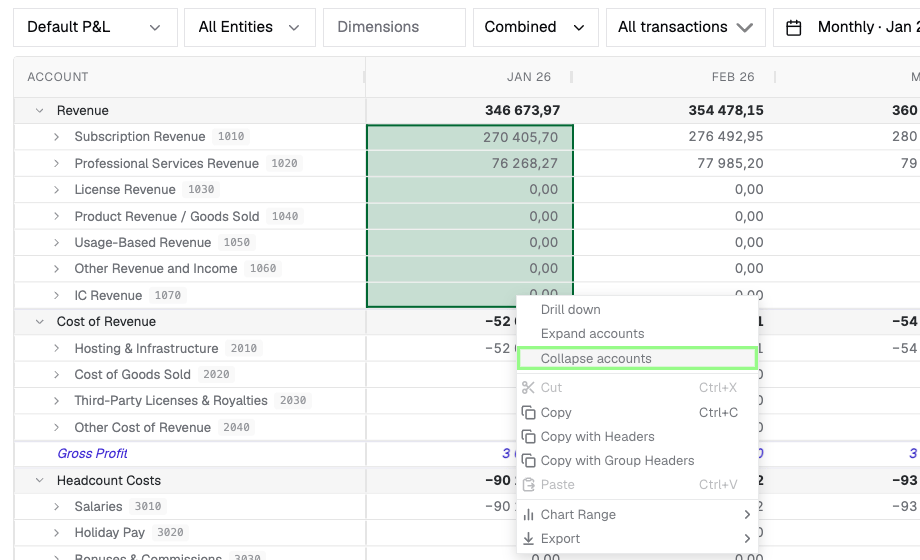
- Select a value cell. To investigate several values together, drag across the value cells that belong in the same analysis.
- Right-click the selection and choose Drill down. If Double-click drilldown is enabled in the grid settings, you can instead double-click a single value cell.
- Confirm that the amount at the top of the panel matches the selected value or the sum of the selected values.
Accounts and transactions are separate views
Control provides separate views for the same value — accounts, transactions, counterparties, and formulas — so you can move between the level of detail that answers your question.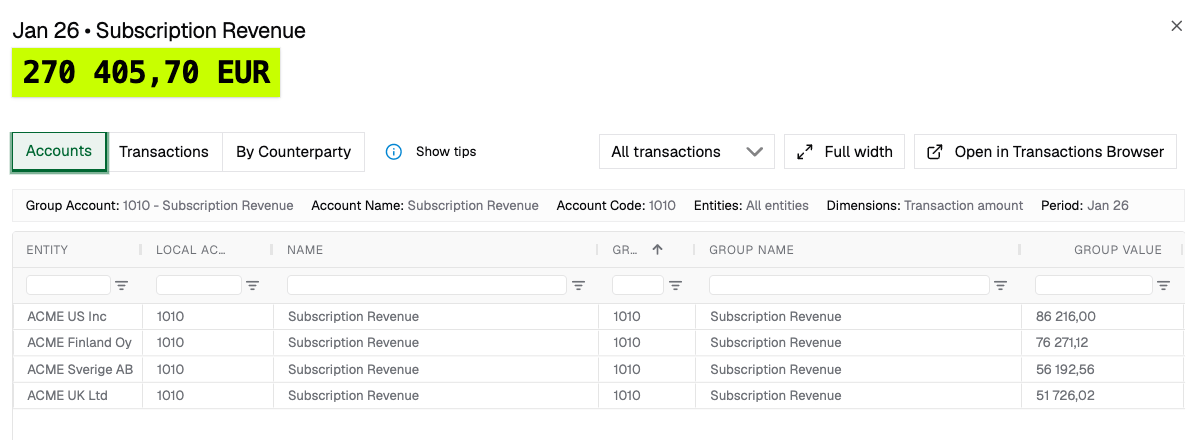
Move between detail views
The transaction-category selector applies to the drilldown. Keep All transactions selected to reconcile the complete displayed value, or narrow the result when you intentionally want to review source transactions, eliminations, or currency translation adjustments separately.
A range containing a formula cannot be combined into one drilldown. Open the formula separately, then select an
operand to continue into account detail.
Continue in the Transactions Browser
Select Open in Transactions Browser when you need more room for grouping, pivoting, saved views, sharing, or export. Control opens the browser with the drilldown’s account, entity, period, dimension, and transaction-category scope. Review the filters before changing them so you retain a clear reconciliation point. Use Full width when you want to keep the investigation in the statement while giving the detail grid more space.Balance Sheet drilldowns
A Balance Sheet value is cumulative by default, while a transaction list can focus on movement in the selected period. Turn on Fetch all period transactions when you need the transaction history through the selected period rather than only the period movement. Confirm which question you are answering before comparing a transaction total with a Balance Sheet value:- use the period movement to explain what changed;
- use all transactions through the selected period to support the closing balance.